
AI Personalization in Digital Product Design
AI personalization has evolved well beyond demographic segmentation and first-name email greetings. In 2026, sophisticated systems generate content, adapt layouts, and surface contextually relevant experiences in real time — tailored to each individual user. For designers, understanding how personalization works, where it fails, and how to design responsibly within it is no longer a niche specialization. It is a baseline professional competency.
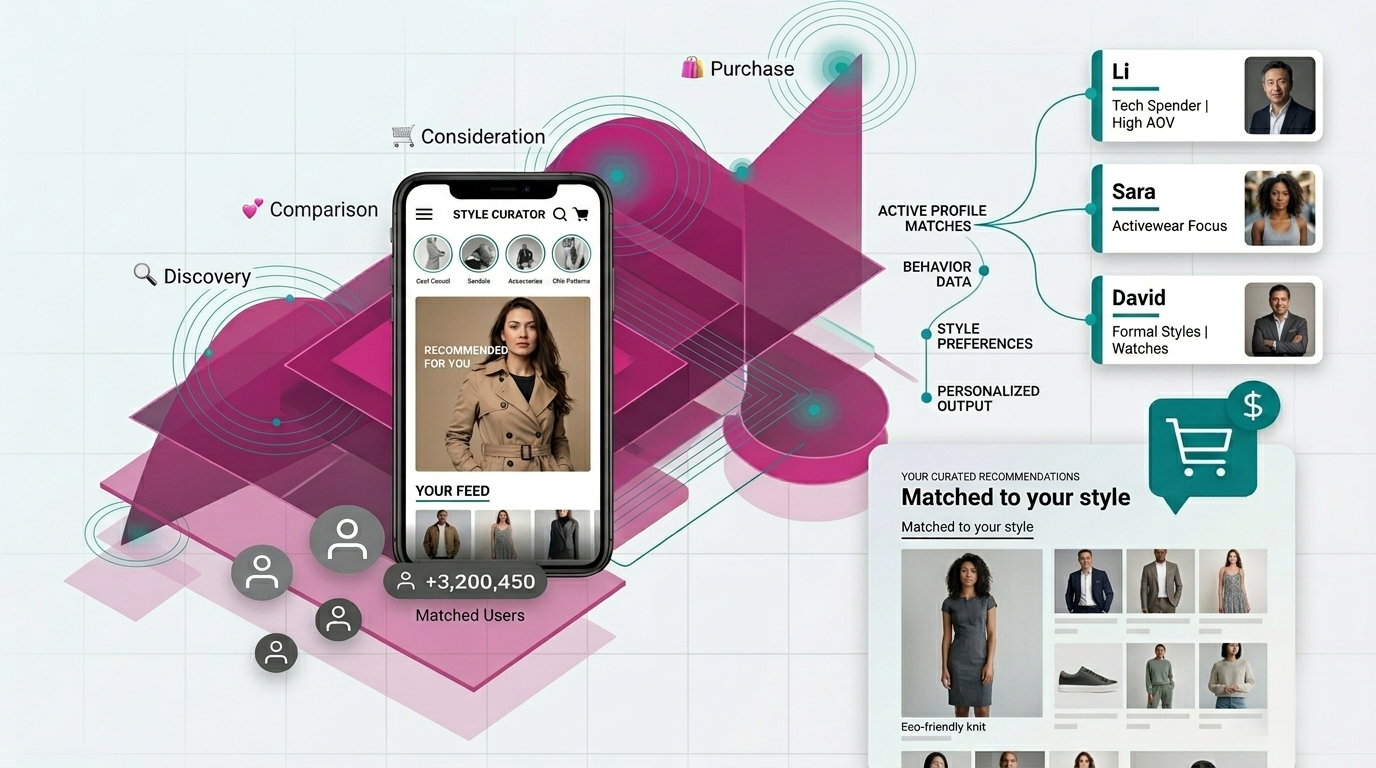
A stylized visualization of AI-driven personalization in a fashion shopping app.
From Personas to Personalization
In UX practice, products are designed around personas — 3 to 5 representative user archetypes that define the overall experience: information architecture, navigation, tone, and visual language. AI personalization builds on top of that foundation.
Once a product is built around its personas, personalization allows the system to adapt the details for each individual at runtime: which content surfaces first, in what sequence, and with which visual framing.
Think of it this way: Personas = design-time. Who are we designing for?
personalization = run-time. What should this specific person see right now?
They work together. Personas give direction. Personalization fine-tunes within that space.
How Personalization Algorithms Work
There are three main algorithmic approaches behind most personalization systems. Designers do not need to implement these methods, but understanding how they function informs better data collection, feedback design, and failure anticipation.
Collaborative Filtering
The “people like you also liked” approach. The system identifies users with similar behavior patterns and recommends what they’ve engaged with. Spotify’s Discover Weekly is the most recognized example: it finds listeners with overlapping taste and surfaces tracks they’ve played that you haven’t heard yet.
Content-Based Filtering
This approach recommends content based on what you’ve already engaged with — analyzing attributes like topic, format, and style rather than comparing you to other users. Watch five true crime documentaries on YouTube, and the algorithm will keep serving more.
Hybrid Models
Most production systems combine both approaches and layer in contextual signals — time of day, device type, location, session behavior. Netflix, for example, factors in your viewing history, behavior from users with similar tastes, and the context of your current session. If you usually watch light comedies on your phone at lunch, that pattern shapes what surfaces.
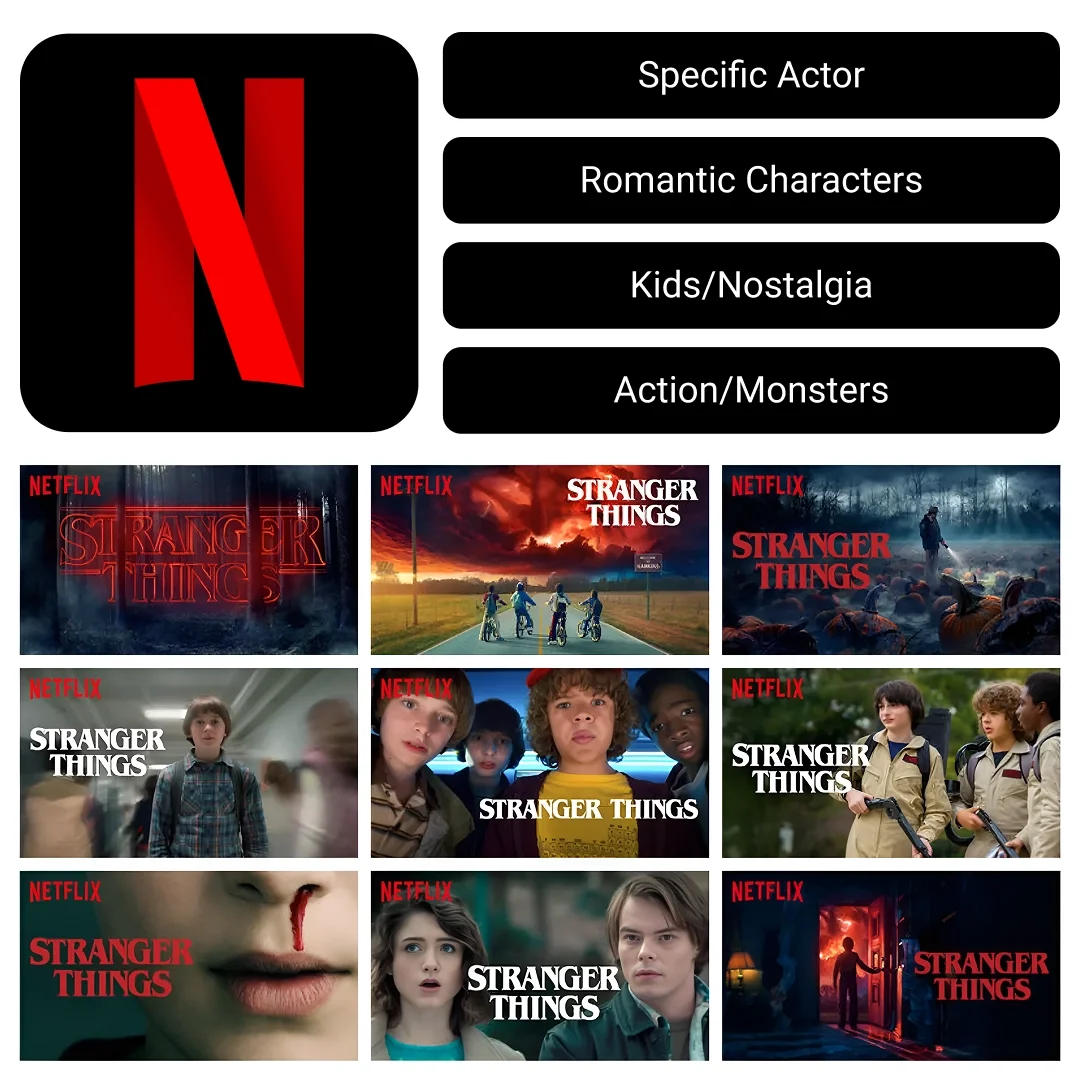
In Practice: Netflix Thumbnail personalization
Netflix doesn't just recommend different shows to different users — it shows different thumbnail artwork for the same show based on what it knows about you. For Stranger Things, an action-oriented viewer might see the monster; a romance viewer sees the characters in an emotional moment; a parent sees the nostalgic 80s kids on bikes. Same content. Different visual entry point. Netflix reported a significant engagement gains — figures cited publicly range from 20–30% — when they introduced this approach.
This is what all three algorithms working together looks like in production: your content preferences (content-based), what similar viewers chose (collaborative), and the context of your current session (hybrid). As a designer, understanding this means you can design image systems and component states that serve personalization — not just default views.
The Data Accuracy Problem
Here is the core tension: personalization systems do not know the actual user. They know a data model of that user — an age bracket, a device type, a handful of recent clicks, maybe a playlist they half-listened to once. That profile is always incomplete, and often misleading.
When the system gets it wrong, the impact is not neutral. Bad personalization is worse than no personalization. Users who receive consistently irrelevant recommendations do not just ignore them — they start to distrust the product as a whole.
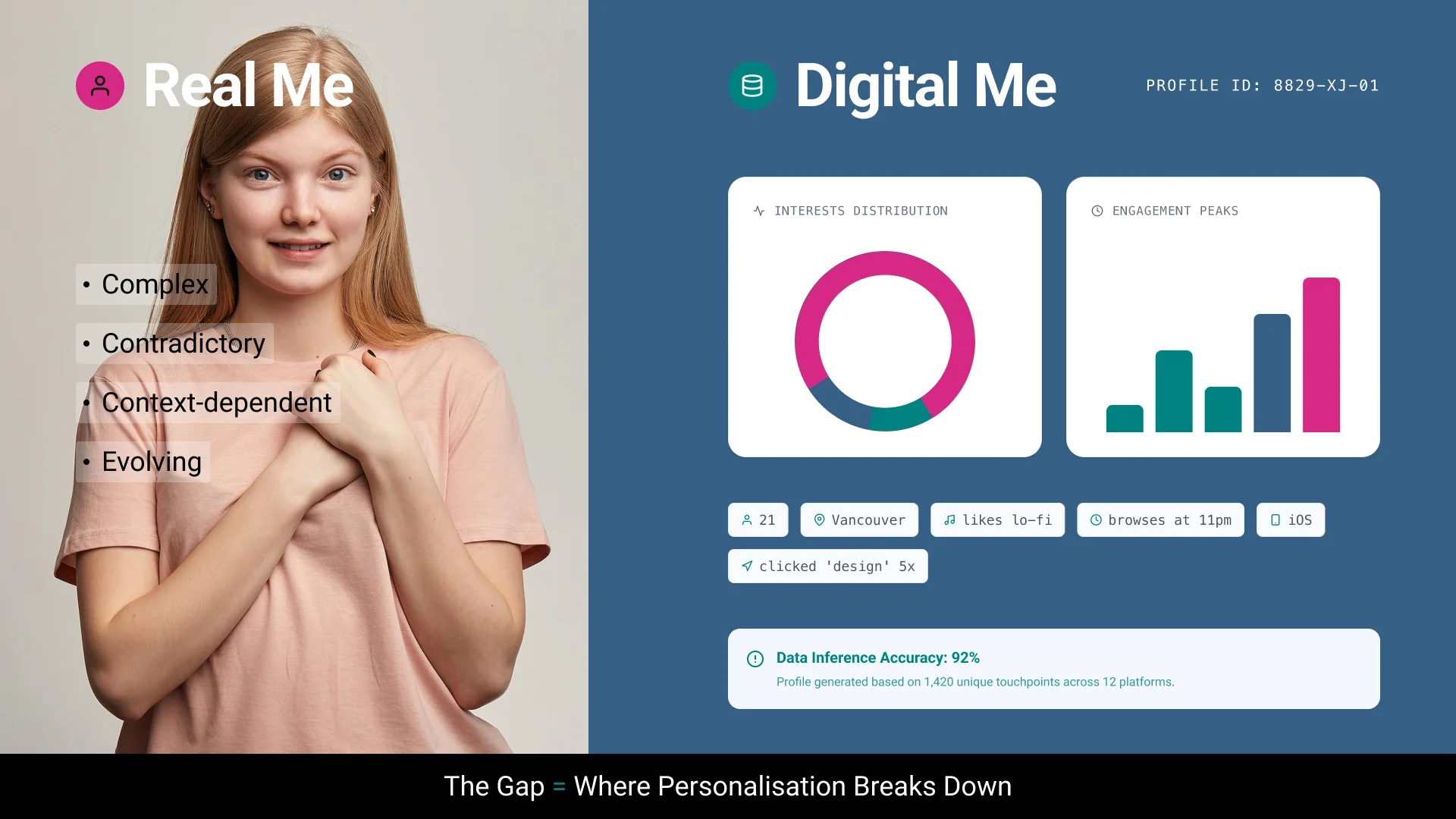
Real Me vs Digital Me
The design response is to build in correction mechanisms. Give users a clear, low-friction way to signal when the system’s assumptions are off. Good products already do this:
Spotify: “Not interested” on surfaced tracks
Netflix: “Remove from continue watching” to dismiss incorrect history
YouTube: “Don’t recommend this channel” as a persistent override
Sometimes the right call is to let users turn personalization off entirely. That is not a failure state — it is a sign of a product that respects user agency.
To personalize effectively, systems draw on three types of data: explicit data (ratings, likes, profile settings — high quality but sparse); implicit data (clicks, scroll depth, session behavior — abundant but harder to interpret); and contextual data (device type, time of day, location). As a designer, understanding which data your product collects shapes every feedback mechanism and error state you design. The profile it builds is always a partial representation — which is why the gap between the real user and the digital model matters.
Understanding how personalization works — and where it breaks down — is the foundation. The next question is practical: how do you actually work with these systems as a designer? The following sections look at AI as a production tool, both for scaling design output and for generating the interface itself.
Using AI to Scale Your Design Practice
To see what AI‑supported personalization looks like in day‑to‑day design work, it helps to look at a real project. A client asked me to redesign the hero section of their educational platform. The mascot is a dog, so I created a custom illustration of it holding the British Columbia flag. They loved it — then asked for versions covering every Canadian province, US state, Australia, the UK, Hong Kong, and New Zealand. Over 100 regional variations.
Produced manually: roughly 60 hours. Produced with AI: about 6 hours. The process:
1. The original illustration — style, composition, and art direction — was produced manually, establishing the visual standard.
2. Gemini was used to generate regional variants with structured prompts referencing the original artwork: "Generate the same character, in the same pose and style, holding the Ontario flag."
3. Each output was vectorized using Vectorizer.AI for production-ready delivery.
The creative concept, quality bar, and art direction remained mine throughout. AI handled execution at scale. The same methodology applies to localized campaign assets, seasonal design variants, and A/B testing libraries.
Generative UI: When AI Builds the Interface
Most personalization systems adapt what content is shown. Generative UI takes this further: the interface components themselves are generated on-demand based on context.
Consider an educational dashboard. For an active learner, course progress widgets surface at the top. For someone who browses but rarely commits, recommended resources take priority. For a student with upcoming deadlines, those surface first. Same dashboard. Different layout. Driven entirely by behavior — not by a designer manually building three separate views.
Frameworks like React and Flutter provide the rendering layer that makes this possible — components can appear, reorder, or change based on runtime data. But realizing full generative UI typically requires additional orchestration on top: server-side logic, AI SDKs, or agent-driven decision layers that determine which components to surface and when. As a designer, your role is not to build this infrastructure directly, but to define the system constraints it operates within: the component library, the layout rules, the design tokens, the boundaries the AI cannot cross.
Those boundaries are not only visual but also ethical and cultural. Designers need to check their data and decision rules to avoid unfair treatment in personalized interfaces, and define which parts of the interface can change for different regions — like images, icons, layout direction, or colors — while keeping the overall system consistent.
Tools currently exploring this space include v0.dev by Vercel, which generates working React components from text prompts, and Galileo AI, which produces Figma-ready UI designs from natural language descriptions, trained on thousands of user interfaces and design patterns. These are early-stage but directionally significant. You are increasingly designing systems and rules — not just screens.
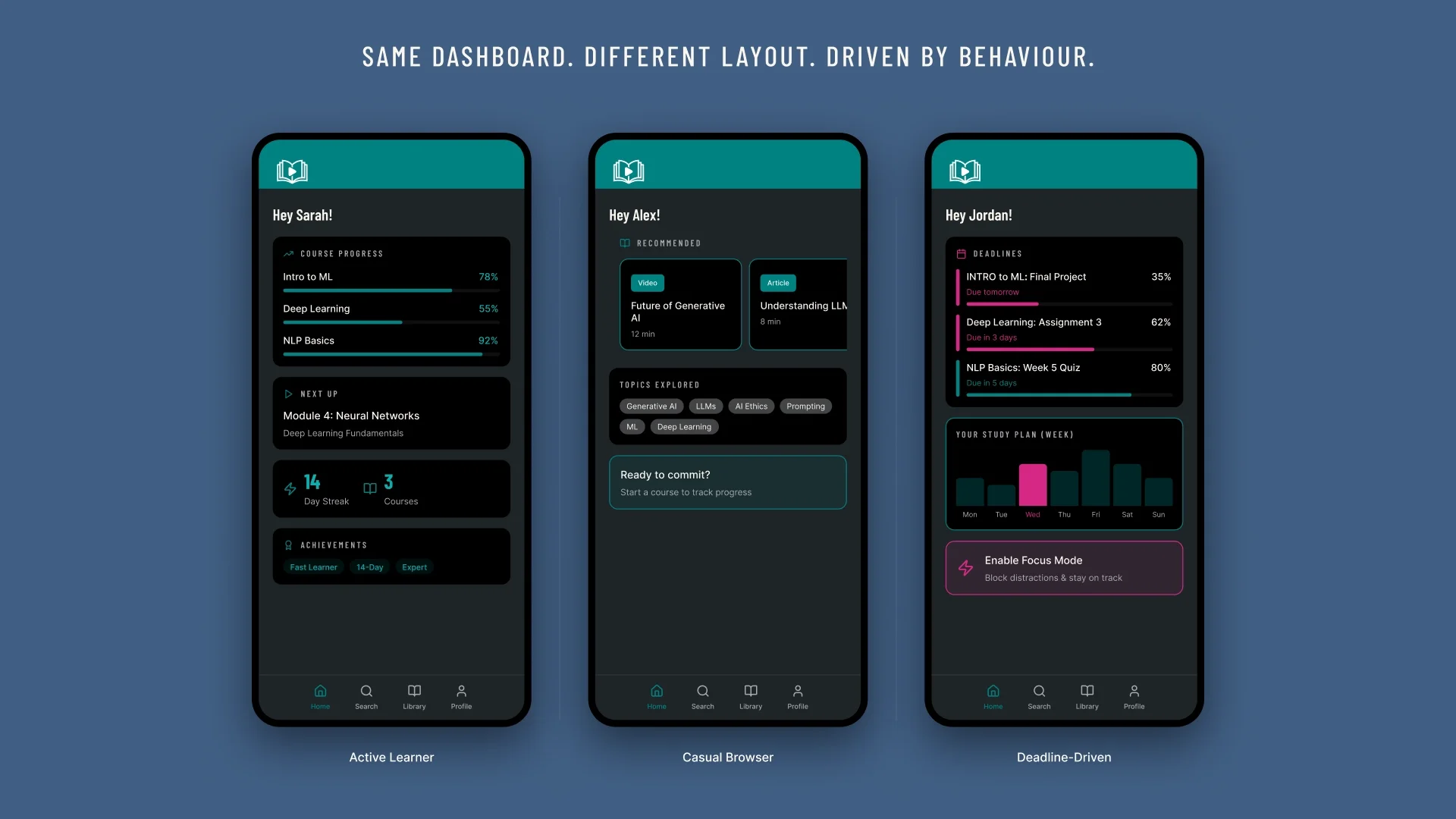
Three mobile app screens showing the same educational dashboard laid out differently for an Active Learner, Casual Browser, and Deadline-Driven user.
Tools That Support Personalized Design Work
Working with personalization systems requires a broader toolkit than traditional design alone. The tools below address specific aspects of personalized design work: generating color systems that adapt to user preferences, creating image variants at scale, and building reusable production pipelines for dynamic content.
Color and Style Generation
Khroma learns your color aesthetic from an initial 50-color selection and generates personalized palettes with WCAG accessibility contrast ratings.
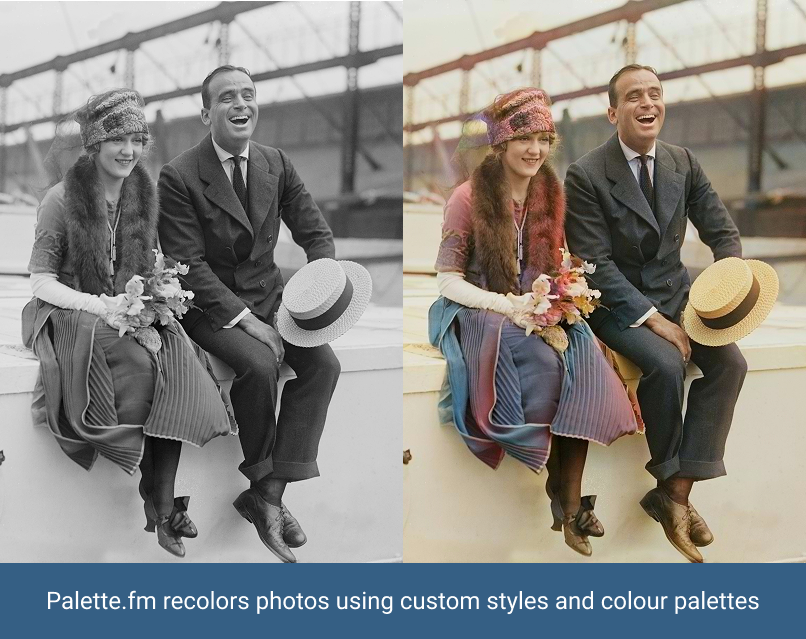
Palette.fm applies AI colorization to photography, with stylistic filter options suited to different visual contexts. Useful when building context-aware or mood-responsive UI systems.
Image Generation and Pipeline Tools
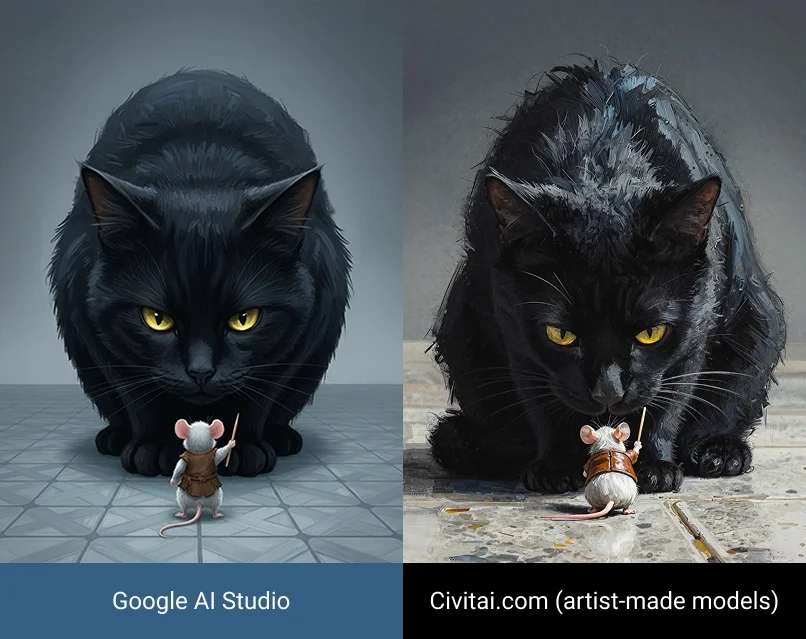
Civitai is a community platform hosting custom-trained Stable Diffusion models. Every image displays the prompt used to generate it — a transparent reference library for learning effective prompt construction and understanding how language translates into visual output.
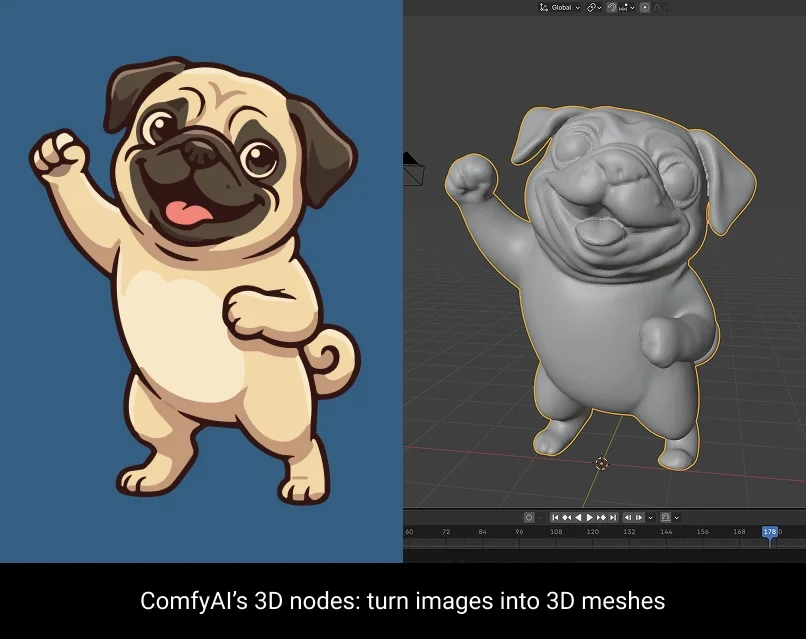
ComfyUI is an open-source, node-based workflow tool for generative image and video production. Rather than one-off prompting, designers build reusable pipelines that chain together models, reference images, style controls, and upscaling — enabling consistent, repeatable output across large variation sets.
Hugging Face is an open-source repository of thousands of free, pre-trained AI models — many available as browser-based Spaces requiring no code to run. For designers, the most practical include background removal (RMBG), image segmentation (Segment Anything), style transfer, and text-to-image models. It is the most accessible entry point for experimenting with AI capabilities before deciding which to integrate into a product.
What This Means for Your Practice
Understanding AI personalization — how it works, where it fails, and how to design responsibly within it — clarifies what you are actually responsible for as a designer. You are not building the recommendation engine, but you are designing interface it surfaces content through. You are not training the generative model — but you are determining what gets fed into it, what the quality bar is, and when to override it.
Three principles worth holding onto:
1. Personalization is a systems design problem. You are defining rules by which content adapts across potentially millions of distinct user contexts. Design decisions need to be documented and justified accordingly.
2. Data quality determines the integrity of the experience. A personalization system is only as reliable as the data informing it. Build correction mechanisms. Enable transparency. Respect user agency.
3. AI extends execution capacity, not creative judgment. The tools described in this article accelerate production and enable variation at scale. The strategic thinking, ethical reasoning, and user advocacy that make those outputs meaningful remain exclusively the designer’s responsibility.
By Valentina Abanina, Instructional Assistant, AI Digital Media & Automation Specialist